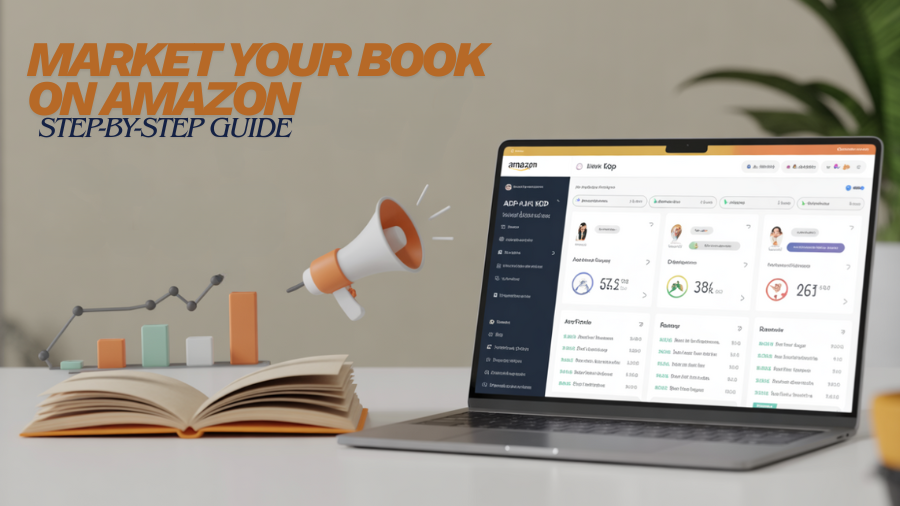
You wrote a book and you’re proud of it. Now you want readers to find it in the world’s biggest store. This guide shows you how to market your Book on Amazon in clear, kind steps.
In this blog, we have compiled the steps to market your book on Amazon. We’ve mentioned and explained how to use ads, how they work, and how to keep momentum after launch.
Our goal is to ensure that we’ve given you simple ways for the best Amazon book marketing strategies.
You don’t need tricks. You need a warm voice, a clear plan, and small, steady actions. Think of this as a map for marketing self-published books on Amazon without stress. If you want to “promote my book on Amazon” but don’t know where to start, begin here, follow the steps, and breathe. You’ve got this.
What Amazon Wants: Clarity, Trust, and a Good Fit
Amazon’s system is designed to satisfy the users’ intent. It helps the readers or the searchers to find the right product of their choice, the keywords. For example, it uses your cover, title, subtitle, description, categories, and keywords—this bundle is called metadata.
Good metadata tells the store and the shopper, “This book fits here.” When your fit is clear, Amazon shows your book more often. Readers click more. Reviews come in. Over time, sales rise. That is how you slowly rank your book on Amazon.
Trust also matters. Honest reviews, a real author profile, and a clean “Look Inside” sample help readers feel safe. A safe reader is more likely to buy. Think of your product page like a bright, tidy shop window. If the sign is clear and the display feels right, people step in.
Step 1: Set Up KDP the Right Way
KDP stands for Kindle Direct Publishing. It’s Amazon’s platform for indie authors. You upload your files, pick your price, and publish in ebook and print. If you are marketing self-published books on Amazon, this is your starting point.
Open your KDP account and fill in your author name the way you want it to appear on your book. Add your tax and payment info so you get paid on time. Choose your formats. Many authors do both ebook and paperback because different readers like different things. Check your files in the previewer. Make sure your table of contents works and your margins look good. Small errors can turn a happy shopper into a refund, so take your time here.
You’ll see an option called KDP Select. If you enroll, your ebook joins Kindle Unlimited, which lets subscribers read and pays you per page read. In return, your ebook must be exclusive to Amazon for a period. This is a choice. Some authors love the extra reach. Others want to sell widely. Pick what fits your plan and your readers.
Step 2: Add Strong Metadata
Your title and subtitle are the first promise. Keep them clear. In fiction, the title sets the mood and genre. In nonfiction, the subtitle says who the book is for and what they’ll get. “Five-Minute Meals for Busy Parents” is clear. It tells the shopper, “This is for you, and it’s fast.” That kind of clarity helps your Amazon KDP marketing more than any trick.
Categories are the digital shelves. As a marketer, you goal is to select the shelf where your actual readers are searching for their desired book. For example, if you wrote a cozy mystery, then pick your cozy mystry as your category, and not organized crimed. If your book falls into the category of closed-door romance, then don’t file for explicit romance.
A good shelf match gives you a fair race against similar books. That’s how your KDP marketing strategies start to work.
Keywords are search phrases people type. You get several keyword “slots” in KDP. Each slot can hold a short phrase. Think like a reader. What would they type if they wanted a book like yours? Use natural phrases, not random words packed together.
To pick good phrases, you have to type into the Amazon search bar, and once you do that, you’ll watch an auto-suggest list emerge. Those suggestions come from real shopper behavior.
Look at the top books in your genre and notice the phrases in their titles and descriptions. Don’t copy. Learn the language your readers speak, then use it in your own way. This is the heart of Amazon book marketing without feeling fake.
Step 3: A Cover, Look Inside, and Description That Sell
Your cover is the handshake. It should fit your genre at a glance. Cozy mysteries use warm colors, hand-drawn art, and friendly type. Tech thrillers use bold fonts, dark tones, and sharp shapes. Nonfiction covers are clean with strong words. When the cover fits the shelf, the shopper says, “I know what this is,” and that’s powerful. If you’re not a designer, get help. A clear, genre-right cover is worth it.
The Look Inside feature shows a sample of your book. Many readers try before they buy. Make sure the first pages are clean and strong. For nonfiction, a clear table of contents helps a lot. For fiction, a strong opening line invites the reader to turn the page. If your look-inside is messy, people click back. If it sings, they stay.
Your description is not a plot dump. It’s a promise. In fiction, show the hook, the stakes, and the feeling readers will get. In nonfiction, show the problem, the path, and the result. Write in short, friendly lines that are easy to read on a phone. Use bold for a few key phrases, but don’t overdo it. End with a simple call to action like, “If you enjoy warm, small-town mysteries with a clever twist, you’ll love this debut.” That one sentence guides the heart.
Step 4: Build Your Author Home on Amazon
Set up Author Central. This is your public author page. Add your headshot, a short bio, and links to your website and social media. A real face and a warm bio build trust. If you have more than one book, make sure all books link to the same author page so readers can see your full shelf.
Add Editorial Reviews on your book page if you have kind quotes from bloggers, librarians, or niche leaders. Keep them short and specific. Don’t invent praise. Real words from real people matter. You can also add A+ Content (extra images and sections below the description) if your category allows it. Use A+ to show a short feature list for nonfiction or to share mood images and quick “why you’ll love it” notes for fiction. This extra space helps shoppers who need a bit more time to decide.
Step 5: Reviews the Right Way—Honest and Helpful
Reviews are social proof. They make shoppers feel safe. The best reviews come from real readers who choose to share. Build a tiny early reader team from your email list or community. Give them an ARC (advance reader copy). Ask for an honest review on launch day or soon after. Make it easy by sharing the review link. Don’t pay for reviews. Don’t script what to say. Don’t push family or close friends; those reviews can be removed and can even hurt trust. A gentle follow-up is fine. Pressure is not.
In the back of your book, add a kind line: “If this book helped or entertained you, a short review on Amazon helps other readers find it.” That one sentence can lift your review count over time. Reviews don’t need to be long. Even two or three honest lines help a lot.
Step 6: Smart Pricing and Simple Promotions
Pick a fair price for your market and length. Short ebooks often sit lower, long nonfiction guides can sit higher. If you join KDP Select, you can run Kindle Countdown Deals (a short-term price drop with a countdown timer) or Free Book Promotions for a limited number of days. These tools can pull in new readers, especially if your book is part of a series. If you are wide (not exclusive), you won’t use those tools, but you can still lower your price during a launch week to welcome new readers.
Think about Kindle Unlimited if your reader loves subscriptions. Pages read can add up and help you reach new people who might not buy yet. You can test price changes for a week and then review your numbers. If a new price brings more sales and more page reads, consider keeping it. If not, go back. Keep pricing calm and thoughtful, not wild and jumpy.
Step 7: Amazon Ads for Books (Optional, Start Small)
You can grow without ads. But if your page is strong and you want to test advertising your book on Amazon, start tiny. Amazon offers Sponsored Products ads. These show your book in search results or on other book pages. You can let Amazon choose targets (auto) or choose your own (manual). Manual targeting lets you add keywords or the ASINs (product IDs) of books like yours.
Use a small daily budget. Pick 20–40 clear keywords based on your own phrases and the search bar suggestions. Add a few ASINs from books your reader already loves. Write one simple ad line that matches your book’s promise. Let the ad run for a week. Check clicks and orders. If people click but don’t buy, your page needs work. If people don’t click, your targeting or ad text needs work. Change one thing at a time so you learn. This is patient Amazon ads for books, not a rush.
Step 8: Launch Week on Amazon—Gentle, Clear, and Focused
A good launch is a series of kind invites. Email your list with a short note and one clear link. Post a simple message on your chosen platform that shows the cover, shares why you wrote the book, and says where to get it. Ask your early readers to leave their reviews if they’ve finished. Thank people by name if they share (with permission). If you like live video, do a short reading or a Q&A. Keep it warm, not loud.
You may see your Best Sellers Rank (BSR) move during launch week. BSR is Amazon’s way of showing how your book sells compared with others in the same category, and it updates often. A lower number means a higher rank. Don’t obsess. Watch the trend. A bump today is nice. A steady line over time is better. Your focus should be on helping readers, not chasing a chart. That calm focus, oddly, is how you rank your book on Amazon in a lasting way.
Step 9: Keep Momentum After Launch
Your launch is a door, not the whole house. After the first week, keep showing up in small ways. Share a tiny story from your writing. Post a reader note (with permission). Offer a short bonus chapter to your email list. If you write fiction, consider a novella or a prequel to keep readers warm. If you write nonfiction, share a one-page checklist that supports the book. Small gifts lead to small wins, and small wins stack.
Revisit your keywords every few months. If a phrase never brings views, try a new one. If a category feels too wide, pick a more focused one. Update your description if readers ask the same questions over and over. Add A+ Content when you have better images or a clearer idea. Treat the page like a living thing. It learns with you.
Measure What Matters (and Ignore the Noise)
Pick a few numbers and write them down each month. Track page views, sales, and reviews. If you’re in Kindle Unlimited, note page reads. If you’re testing ads, watch clicks, cost per click, and orders. You don’t need dashboards and charts. A simple sheet works fine. When a number goes up, ask why. When it goes down, ask why. Then test one change at a time.
A handy check is your conversion rate, which is the share of visitors who buy. You don’t see this number directly, but you can sense it. If many people click your link but few buy, your page needs work: cover, description, reviews, or pricing. Fix the page first. Then bring more people to it. Fuel matters only if the engine runs smoothly.
Troubleshooting: Fix the Page Before You Add Fuel
If sales are slow, don’t panic. Slow down and look at your page. Does the cover fit your genre? Does the first page of your Look Inside make you want to read more? Does the description speak to one reader and one need? Are your categories and keywords honest and clear? Do you have at least a few honest reviews?
Make one fix, then give it time. A new cover can change the whole feel. A clearer subtitle can boost search. A tighter description can lift sales without a single ad. This is marketing your book on Amazon the calm way: fix, wait, learn, and repeat. It’s how steady authors win over time.
“Promote My Book on Amazon” in One Page
If a friend asks how to promote my book on Amazon, give them this simple line: make your page clear, your promise true, and your path steady. Set up KDP right. Choose the right shelves. Use natural search phrases. Match your cover to your genre. Write a friendly, phone-ready description. Invite honest reviews. Use small promotions with care. Test Amazon ads only when your page is strong. Keep learning. Keep helping. That’s the whole plan.
Market your Book on Amazon with Care
You don’t need to shout. You need a clear page, an honest promise, and steady steps. When your cover fits, your words feel true, and your shelves and keywords match your reader, the store can do its job. That is how you market your Book on Amazon without feeling lost. If you’d like friendly help to set it up and keep it going, we’re here.
Consult Blue Mount Publishers for Book Marketing Services; clear steps, caring support, and a plan that fits you.
Answering a Few of Readers’ Concerns
How do I market my book on Amazon without paying for ads?
Start by making your product page strong. Pick honest categories so the store shows you to the right reader. Use clear, natural keywords that match what shoppers type. Shape a friendly description with short lines that read well on a phone. Invite early readers to leave honest reviews, and add a kind review note at the end of your book. KDP Select free days can also pull in new eyes without ad spend.
What are the best keywords for Amazon book marketing?
The best keywords match how your reader searches. Use phrases, not single words. Think about problems, moods, and subgenres. Type into the Amazon search bar and note what it suggests, because those hints come from real shoppers. Avoid random word strings that look strange. Keep it human. Update your list every few months as you learn.
How long does it take to see results from an Amazon book promotion?
Results come in layers. A clearer description can help on the same day. New categories and keywords may help within a week or two as Amazon re-indexes your page. Reviews grow slowly but lift trust in a steady way. If you run a short promo, you may see a quick bump followed by a softer tail. Think in months, not hours. Keep learning from small changes and give each change time to work.
Is Amazon KDP good for self-published authors?
KDP is a strong home for many indie authors. It lets you publish ebooks and paperbacks, set your price, and update your page anytime. If you choose KDP Select, your ebook can also earn from pages read in Kindle Unlimited. The tools are simple, the reach is huge, and the setup is free.
How can Blue Mount Publishers help me sell more books on Amazon?
Blue Mount can be your calm partner. We help you shape clear metadata, pick honest categories, and build keyword lists that sound human. We review your cover fit and your first pages so your Look Inside invites a click. We draft friendly descriptions and set up Author Central and A+ Content. Most of all, we give you a simple plan you can keep up, so your book grows in a way that fits your life.